
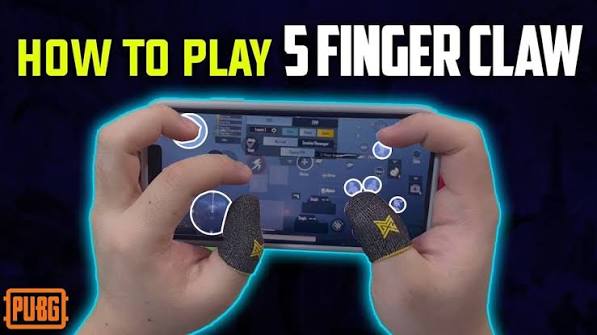
BGMI Controls for One-Hand Players (Disabled/Injured Friendly)
Playing BGMI with one hand isn't just possible — with the right settings, it can feel almost as smooth as two-hand play. Whether you're recovering from a hand injury, playing with a permanent mobility limitation, or just multitasking, this guide walks through every setting that actually matters for one-hand control.
Why One-Hand BGMI Is Harder (And What Actually Fixes It)
The default BGMI layout assumes two thumbs: one for movement, one for aim/fire. Playing one-handed means you lose either full movement control or full aim control — unless you shift work onto settings the game already has built in, like gyroscope aiming, auto-fire, and HUD repositioning.
The goal isn't to "do everything manually with one thumb." It's to let the phone's gyroscope and smart settings do half the job for you.
Step 1: Switch to Gyroscope-Assisted Aiming
This is the single biggest fix. Gyroscope lets you aim by tilting the phone instead of dragging your thumb across the screen.
How to enable it:
- Go to Settings > Sensitivity
- Scroll to Gyroscope
- Set it to Always On (not "While Scoping")
- Start with sensitivity around 150–200 and adjust from there
With gyroscope always on, your one thumb only needs to handle movement and firing — tilting the phone handles the rest of your aim.
Step 2: Turn On Auto-Fire / Auto-Pickup Settings
Reduce how many separate taps your one thumb needs to make per fight.
- Settings > Basic > Auto Pickup — turn on for ammo, attachments, and medkits
- Settings > Basic > Peek and Fire — set to Fire Button so aiming and firing are combined into fewer actions
- Auto-run (double-tap movement joystick) — reduces the need to hold direction constantly
Step 3: Rebuild Your HUD Layout
Go to Settings > HUD Layout > Customize and move every button toward the side you'll actually be playing with.
One-hand (right thumb) suggested layout:
- Move the fire button and jump button closer together, within natural thumb-arc reach
- Shrink the movement joystick slightly and pull it inward toward center-bottom
- Move crouch/prone into the thumb's natural downward swipe path
- Disable buttons you won't reach (e.g., lean left/right) or map them to auto-behaviors instead
Test this in the Training Ground, not a live match — you'll want 10–15 minutes to find a layout that doesn't feel like a stretch.
Step 4: Use a Controller or Clip-On Trigger (Optional but Effective)
If you can use any secondary device (even a cheap Bluetooth game clip with 1–2 buttons), map fire and jump to it. This isn't "two-hand play" — it's one thumb plus one external button, which is a completely different (and easier) level of control than phone-only.
Budget clip-on triggers (₹300–800 range) are common for mobile BGMI/PUBG players for exactly this reason, disability or not.
Step 5: Simplify Your Playstyle
Settings help, but playstyle matters just as much:
- Play more passively — third-person wide-area awareness beats close-range dueling when your reaction speed is more limited
- Use vehicles more — driving needs far less precise input than gunfights
- Prioritize sniper/marksman weapons over SMGs — fewer, more deliberate shots beat spray-and-pray under one-hand control
- Squad up with a communicative team — let teammates take entry fights while you hold position and support
Quick Settings Checklist
| Setting | Recommended Value |
|---|---|
| Gyroscope | Always On, sensitivity 150–200 |
| Auto Pickup | On |
| Peek and Fire | Fire Button |
| HUD Layout | Custom, buttons clustered to one side |
| Playstyle | Passive, vehicle-heavy, marksman weapons |
FAQ
Can I really compete one-handed, or is this just for casual play?
Competitive play is tougher, but many players climb to Crown/Ace tier one-handed using gyroscope-heavy setups. It won't match two-hand pro-level flick aiming, but it's far more viable than most players assume.
Does BGMI have an official accessibility mode?
Not a dedicated one as of this update — accessibility currently comes from combining existing settings (gyroscope, HUD customization, auto-fire) rather than a single built-in toggle.
What's the best control clip/trigger for one-hand play?
Any Bluetooth mobile game trigger with 2+ mappable buttons works. Look for ones that clip directly onto the phone edge rather than needing a separate mount, since they're easier to reach one-handed.
Will gyroscope drain my battery faster?
Slightly, yes — it uses the phone's motion sensor constantly. Playing in a lower graphics/frame-rate setting helps offset this.
14 people like this








About Admin
This post has been published by the admin of our website, responsible for content management, quality checks, and providing valuable information to our users.